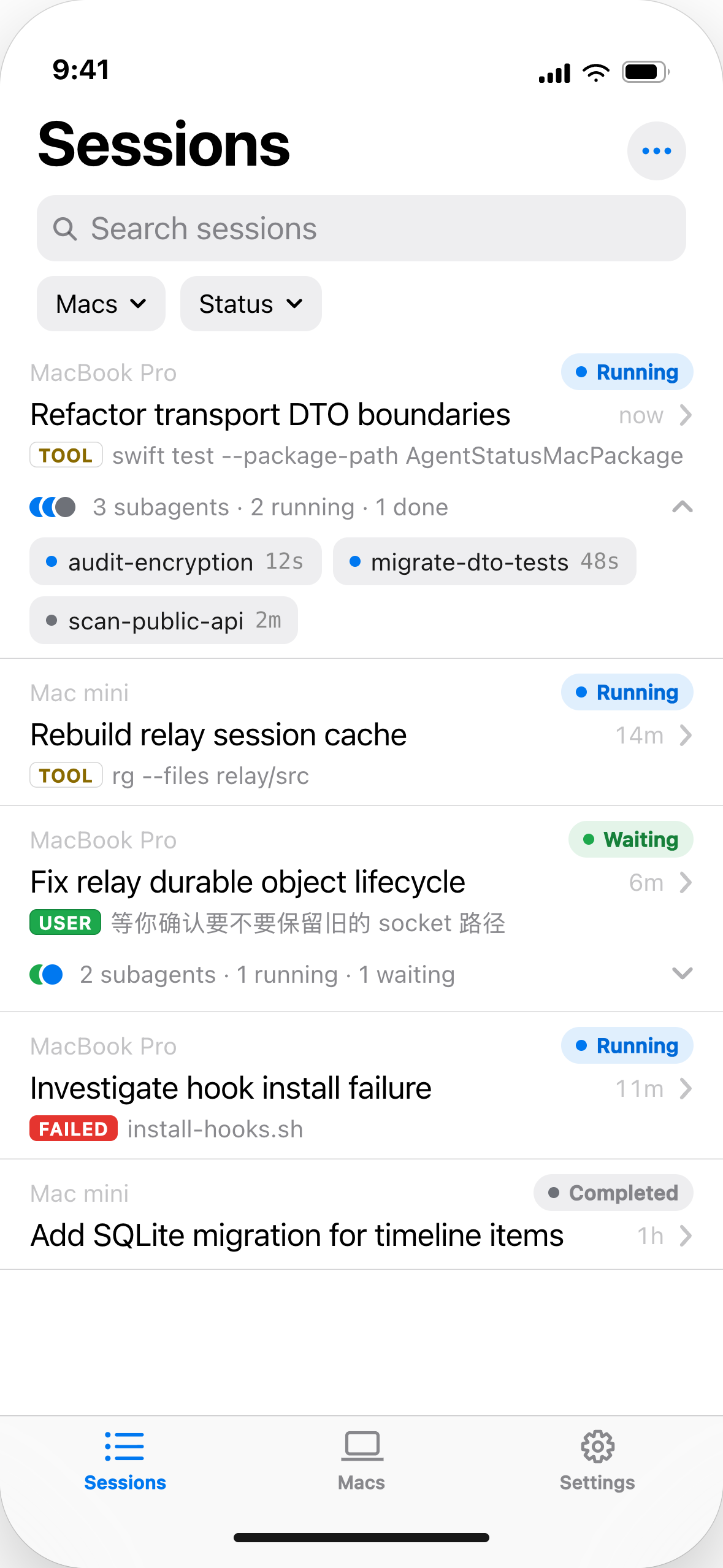
When a turn ends, fails, or gets interrupted, your iPhone gets a push. Tap through to the Session — ten seconds to decide whether to head back or keep waiting.
One iPhone pairs with multiple Macs; sync continues while the Mac app is closed, and the local cache stays browsable offline.
Read-only by design — you can see it, you can't change it. Currently available via TestFlight.
02 — NOTCH
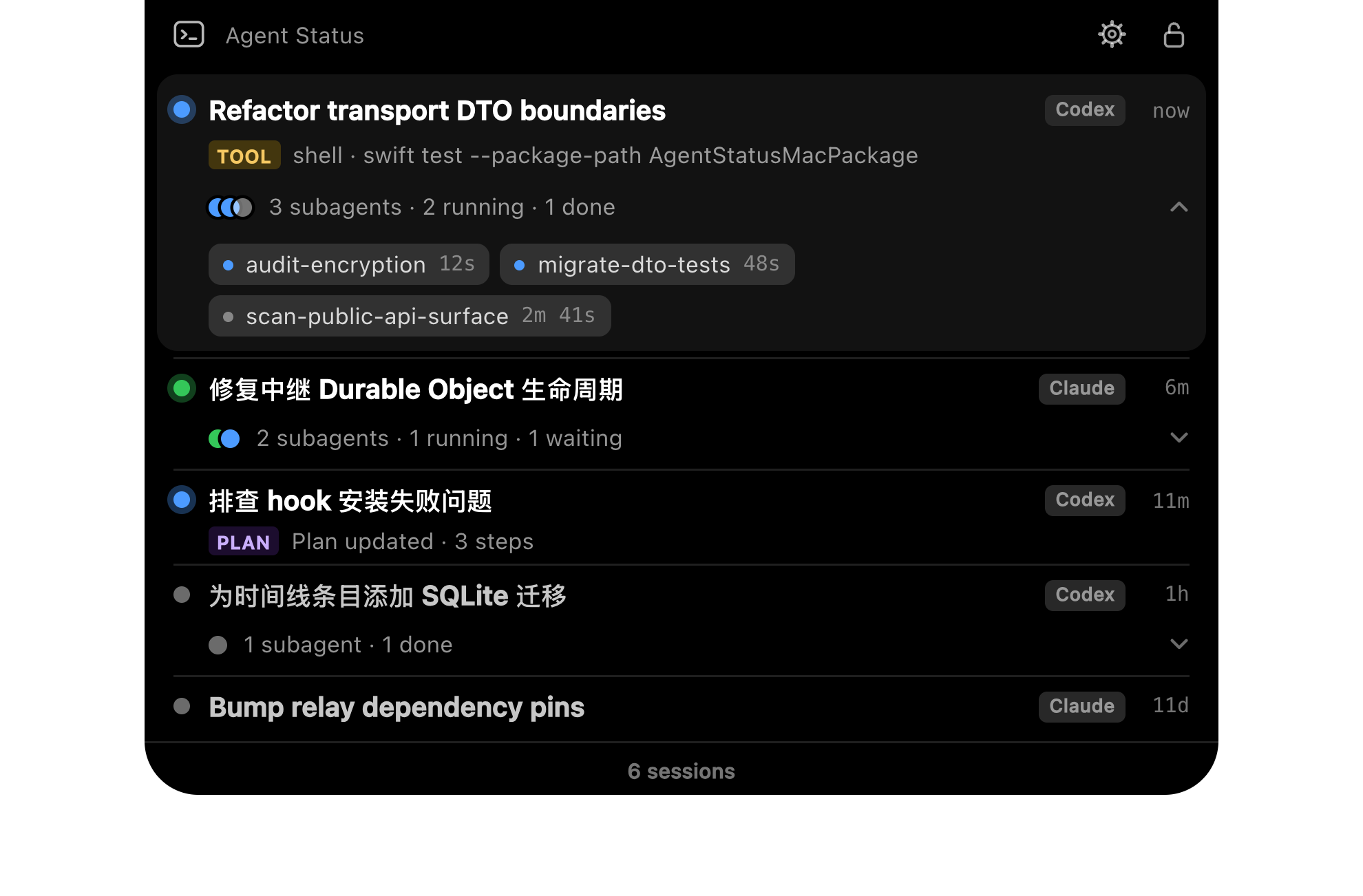
At your Mac, a glance is enough.
Most of the time it's just a thin strip at the top. It expands only when a turn ends or fails — nothing in between.
Every interruption means you're actually needed.
03 — MAC
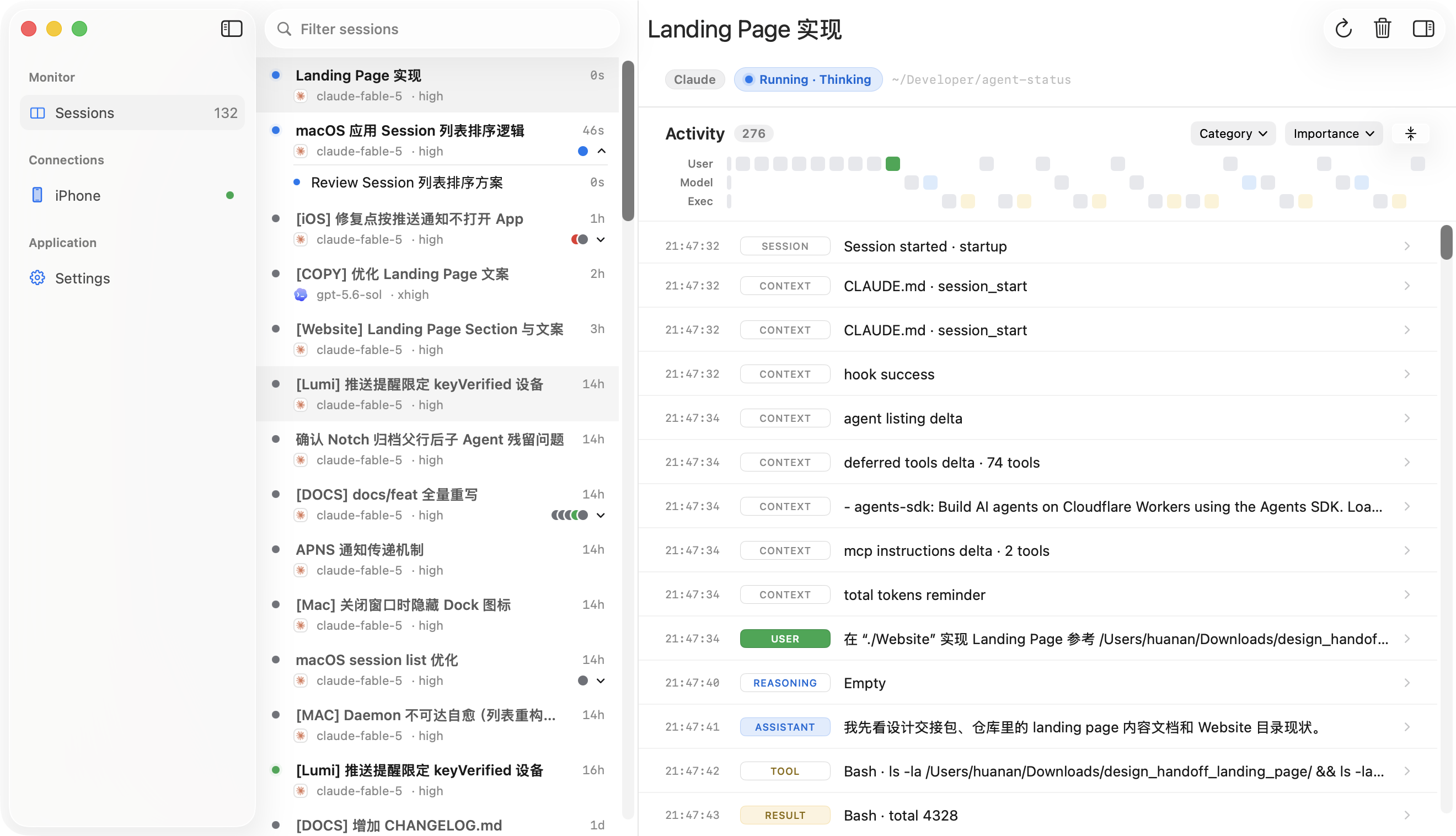
Called back? The full history is right here.
A three-column window — read Sessions the way you read email: who's waiting is obvious at a glance, the timeline shows exactly where it stopped, and tokens, context, and duration are one click away.
Your Session content is encrypted for each paired iPhone.
Relay forwards encrypted Session payloads — it stores nothing and reads nothing. The daemon on your Mac is the only source of truth; your iPhone keeps its own local cache.
Mac
daemon
Relay
forwards only
iPhone
local cache
END-TO-END ENCRYPTED CHANNEL
Push notifications carry only the Session title and status — never the content.
Three steps, then forget about it.
01Connect LumiInstall Lumi for Mac, start the daemon, and enable the Hook for the agents you use. One-time setup, about a minute.
02Keep workingUse your agents exactly as you do now — nothing about your workflow changes. Lumi picks up every new Session and keeps its Activity updating as work happens.
03Check what mattersWhen a Session needs you, it finds you — a glance at the Notch, the full timeline in Lumi for Mac, or a push on your paired iPhone.
FAQ
Which agents are supported?
The mainstream coding agents are supported today, with more to come.
Will it be noisy?
No. You're only notified when a turn ends, fails, or gets interrupted. Everything in between stays silent.
Does Lumi keep running when I close the window?
Yes. The Notch and sync continue to run.
Do I need an account?
No. Pairing uses a 6-character code plus a numeric comparison on both sides — no account system involved.
Can the iPhone control the agent?
No — v1 is deliberately read-only.
System requirements?
Apple silicon + macOS 26 on the Mac; iOS 26 on the iPhone.
 LUMI
LUMI